

Demo
Personal injury intake demo
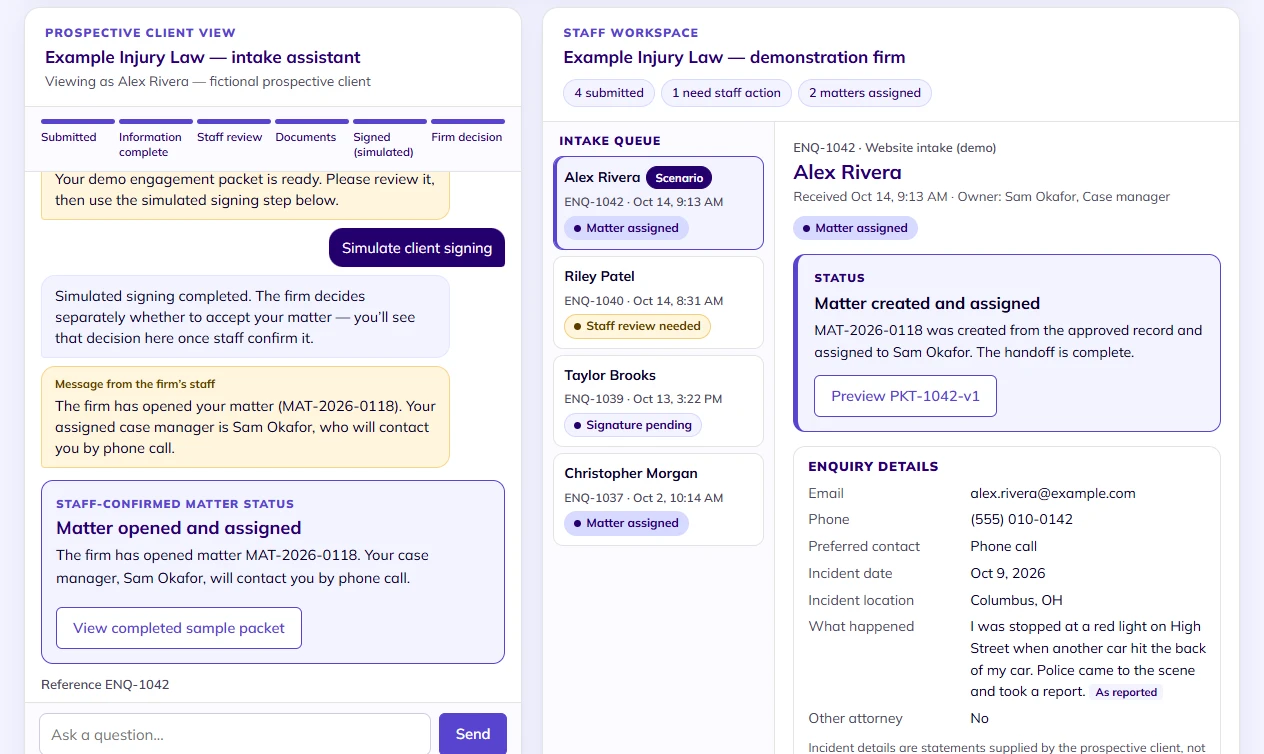
Follow one call from an ad to a signed case, and see which source each signed case came from and what it cost.
Try the intake demoFor personal injury firms that run their cases in Filevine and lose staff time retyping intake.
We connect your intake, e-signature and lead sources to Filevine through the Filevine API, so signed cases open as projects without retyping. Your firm's Filevine admin gives us access, and we connect one step at a time, starting with the one that costs your team the most typing.
Talk to our teamChoose a connection and watch where it lands.
Follow one call from an ad to a signed case, and see which source each signed case came from and what it cost.
Try the intake demo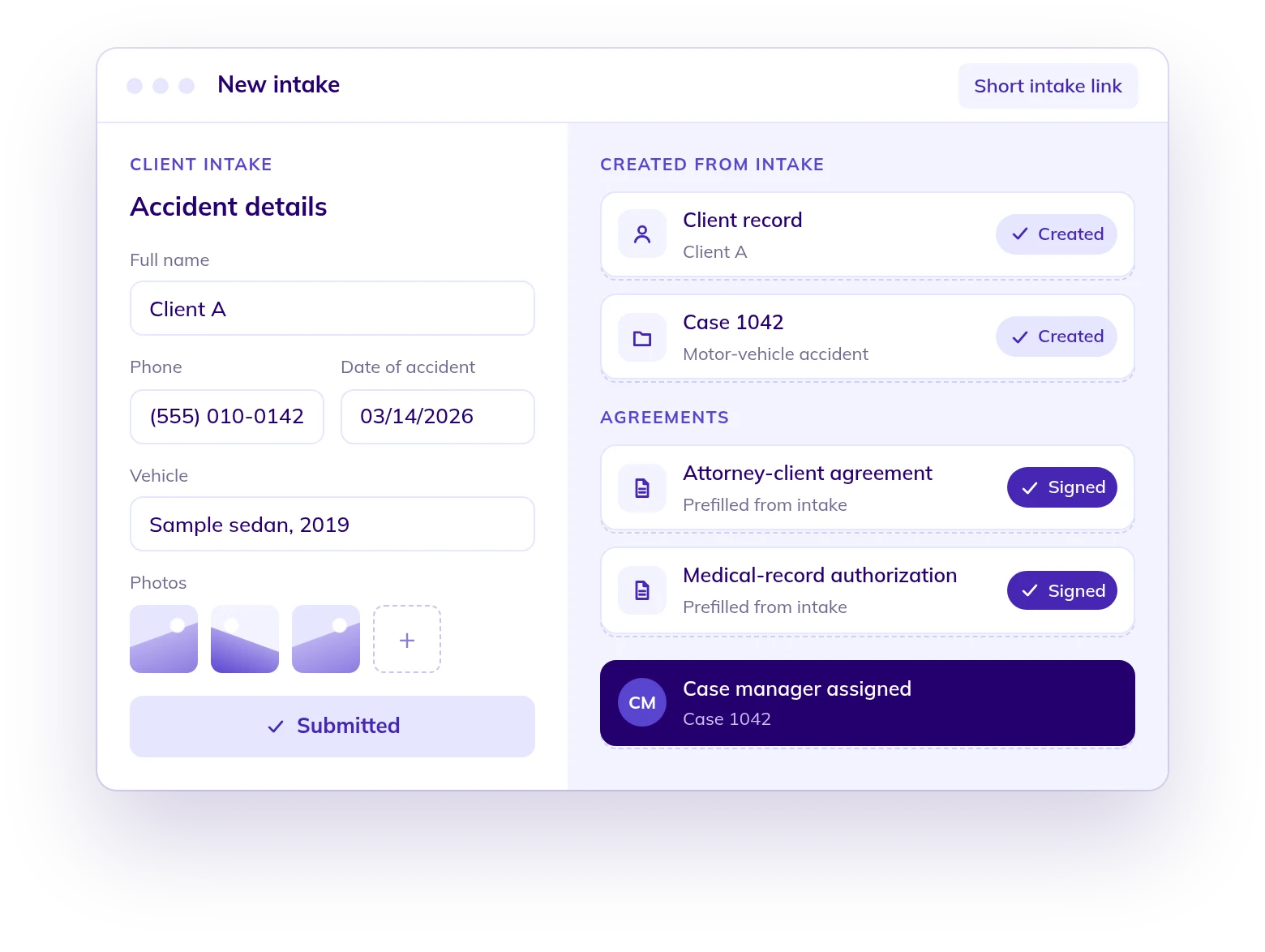
A custom application that connects intake, BoldSign signing and Dropbox storage, so each new case moves from the first inquiry to a signed retainer in one place.
Read the CaseFlow caseAPI access comes from a token your Account Admin creates in Filevine. Each token carries its own permissions, so webhook access is turned on separately.
Where inquiries come from, who reviews them and what gets typed into Filevine.
Your admin creates the token; we confirm the permissions and fields together.
Usually new inquiries into Filevine, because it saves the most typing.
On a test project first, then on real cases with your staff watching.
Signed retainers, missing documents or reporting, one at a time.
Both paths start with one conversation.
Your intake, e-signature and lead sources connected to Filevine through its API.
When no tool covers a step, we build it as custom software, as we did with CaseFlow.

Yehor SyrotenkoCo-founder & CTO
Forward this section to the person who manages Filevine at your firm.
Filevine API documentationdeveloper.filevine.ioYes. Filevine API v2 is a REST API that creates and updates contacts and projects, writes to project sections and fields, uploads documents, creates tasks and sends webhooks when records change. Access comes from a personal access token your firm's Account Admin creates, and we agree its permissions with you before we build.
Filevine has built-in tools and partner apps, including Lead Docket for intake, Vinesign for e-signature and connectors for Zapier and Workato. We build what your firm needs beyond them through the Filevine API: your own web forms and call flow, DocuSign or BoldSign filing, duplicate checks and cost per signed case by lead source.
Yes. Filevine has its own e-signature tool, Vinesign. For DocuSign or BoldSign, or to file the signed retainer to the right project, move it to its next phase and assign a case manager automatically, we connect the signing tool through the Filevine API. We built a BoldSign retainer-signing flow for a US personal injury firm.
Yes. Lead Docket is Filevine's intake product and sends signed cases to Filevine through a built-in connection. We set up what sits around it: field mapping for your project types, duplicate checks and alerts for failed transfers. We also connect intake tools other than Lead Docket through their API or webhooks.
We build Filevine integrations to HIPAA's privacy and security requirements: data stays in the US or in your firm's own cloud account, each connection moves only the fields it needs, and we sign a Business Associate Agreement when your firm's work needs one.
It depends on how many connections you need, what your Filevine account allows and how much existing data has to move. We build one connection first, usually new inquiries, so it is working before the rest is added.
Show us your intake process, and we'll tell you what connects to Filevine.
We'll review your message and get back to you as soon as possible.
Something went wrong on our side. Please try again in a moment.
We’ll review your message and contact you to discuss the requirements.
Once the scope is clear, we’ll propose an approach and prepare an estimate.
